
Every IT fresher graduating in 2026 is competing for the same set of entry-level openings — and most recruiters spend only a few seconds scanning a resume before deciding whether to move it forward. In that short window, small resume mistakes can cost you an interview, even if your technical skills are strong.
Here's the part most freshers don't realise: a rejection often has nothing to do with talent. It comes down to a cluttered layout, a vague bullet point, or a resume that never made it past the ATS scan in the first place. Fixable problems — if you know what to fix.
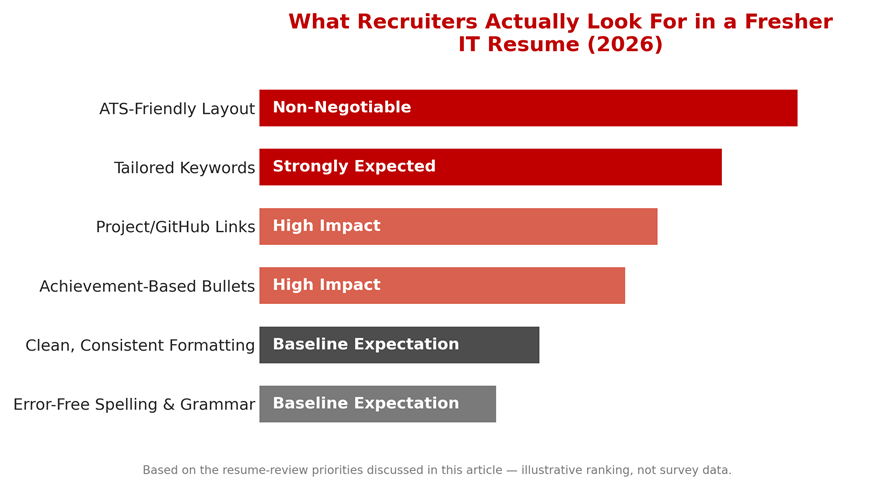
This article walks through the ten most common resume mistakes IT freshers make, why each one hurts your chances, and practical fixes you can apply today. Whether you are a computer science graduate, a BCA/MCA student, or someone switching into IT from another field, this guide will help you build a resume that gets noticed by both applicant tracking systems (ATS) and human recruiters — with real visuals, comparison tables, and a checklist you can use right before you hit submit.
Why Your Resume Matters More Than Ever in 2026
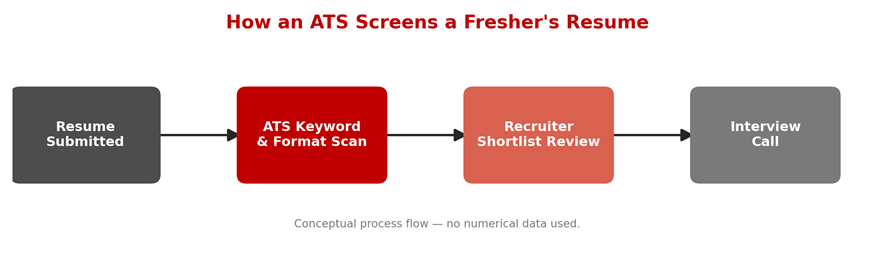
With so many freshers applying for the same roles, companies increasingly rely on ATS software to filter resumes before a human ever reads them. A resume that isn't structured correctly, or doesn't include the right keywords, may never reach a recruiter's desk — regardless of how good your skills actually are.
Getting the basics right isn't optional anymore; it's the first technical test you take in your job search. Think of your resume as a two-stage filter: first a machine has to understand it, then a human has to be convinced by it in under a minute. Miss either stage and the interview never happens.
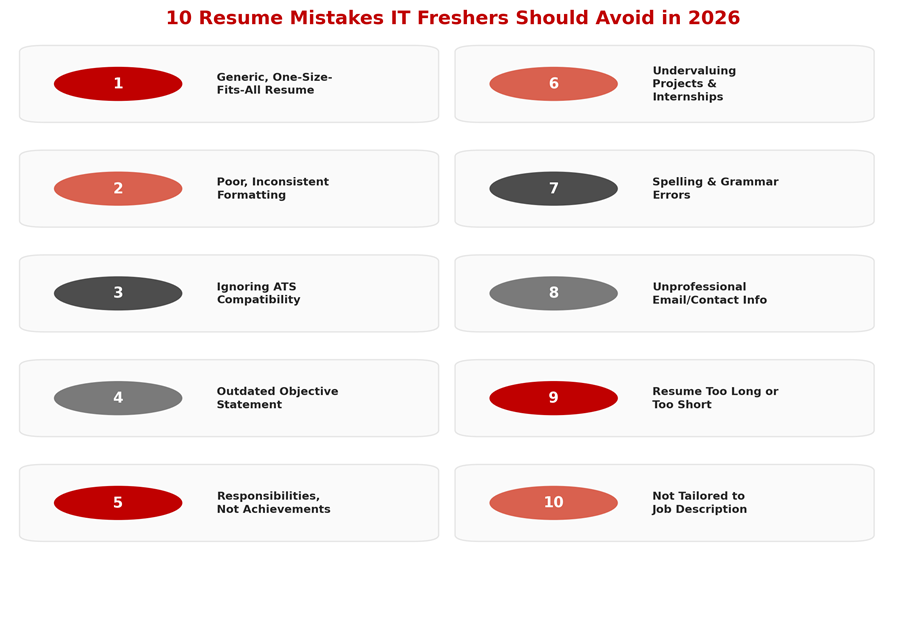
10 Common Resume Mistakes IT Freshers Make in 2026 (and How to Fix Them)
Below is each mistake broken down with why it hurts you and exactly how to fix it. Read through all ten before you touch your resume — several of these interact with each other, and fixing one often makes the next one easier.
1. Using a Generic, One-Size-Fits-All Resume
Many freshers create a single resume and send the exact same version to every company, regardless of the role. Recruiters can spot a generic resume quickly, especially when the listed skills don't match the job description at all.
Fix: Keep one detailed master resume with all your skills and projects, then customise the top section and keyword emphasis for each specific job application.
2. Poor Formatting and Inconsistent Structure
Inconsistent fonts, random bold text, uneven spacing, or a cluttered layout make a resume hard to scan. Recruiters often skim resumes in seconds, and a messy layout signals carelessness before they even read the content.
Fix: Use one professional font, consistent heading sizes, clear section breaks, and enough white space so the document is easy to skim in under 30 seconds.
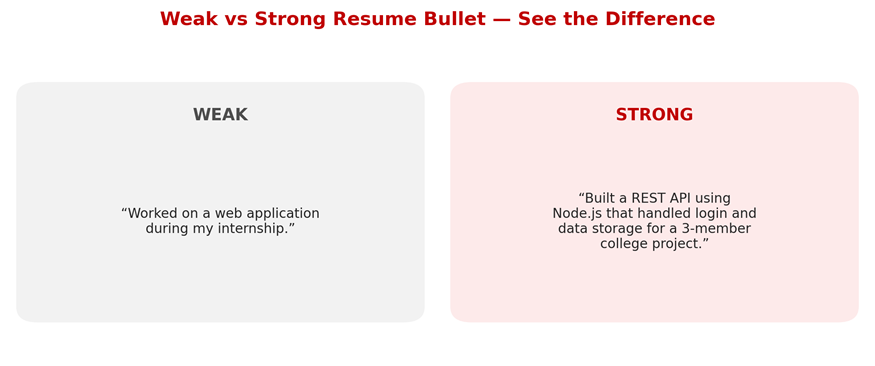
A vague task description vs. a specific, achievement-based bullet.
3. Ignoring ATS Compatibility
Many freshers use heavy design templates with tables, graphics, or text boxes that confuse ATS (Applicant Tracking System) parsers. If the system can't read your resume correctly, your application may be filtered out before a human ever sees it.
Fix: Stick to a simple, single-column format with standard section headings (Experience, Education, Skills, Projects), saved as .docx or PDF, and avoid embedding text inside images.
4. Writing an Outdated “Objective” Statement
Lines like “Seeking a challenging position to utilise my skills” say nothing about the value you bring. Recruiters tend to skip generic objectives because they don't answer the only question that matters: why should we hire you?
Fix: Replace the objective with a two- to three-line professional summary highlighting your core skills, key projects, and the specific role you're targeting.
5. Listing Responsibilities Instead of Achievements
Freshers often describe what a project or internship “involved” rather than what they actually built or accomplished. A line like “Worked on a web application” tells a recruiter almost nothing about your real contribution.
Fix: Use action verbs and specific outcomes — for example, “Built a REST API using Node.js that handled authentication and data storage for a college project” instead of a vague task description.
6. Undervaluing Academic Projects and Internships
As a fresher, your projects and internships are your strongest proof of practical skill, yet many candidates list them briefly or bury them near the bottom of the resume — a missed opportunity, since projects are often what gets you shortlisted.
Fix: Give projects their own clearly labelled section near the top, and for each one mention the tech stack used, your specific role, and the problem it solved.
7. Spelling, Grammar, and Formatting Errors
Typos, inconsistent tense, and grammatical mistakes are one of the fastest ways to get rejected, since they suggest a lack of attention to detail — a quality every employer expects, especially in technical roles.
Fix: Proofread multiple times, read the resume aloud, and ask a mentor, senior, or career counsellor to review it before you start applying.
8. Using an Unprofessional Email ID or Incomplete Contact Details
An email address like “coolgamer999@xyz.com”, or a missing phone number, city, or LinkedIn link, can make it harder for recruiters to take a resume seriously or to reach you at all.
Fix: Use a simple professional email based on your name, and always include a working phone number, your city, a LinkedIn profile, and a GitHub link if you code.
9. Making the Resume Too Long or Too Short
Some freshers try to fill two or three pages with unnecessary detail, while others submit a bare resume with barely any content. Both extremes make it harder for a recruiter to quickly find what matters.
Fix: For a fresher, one page is usually enough — include only what's relevant to the role and cut anything that doesn't support your candidacy.
10. Not Tailoring the Resume to the Job Description
Submitting the same resume for a software developer role, a QA role, and a data analyst role without adjusting the skills or keywords reduces your chances across the board, since both recruiters and ATS systems look for a match to the job description.
Fix: Read the job description carefully, mirror the relevant keywords and skills naturally in your resume, and reorder sections so the most relevant experience appears first.
Bonus Mistake: Ignoring How AI-Assisted Screening Works in 2026
By 2026, many companies layer AI-based resume screening on top of traditional ATS keyword matching, using it to rank or summarise candidates before a recruiter looks at the shortlist. Freshers who assume “a human will read everything eventually” often lose out simply because their resume never rises to the top of that ranked list.
Fix: Keep your resume factual, specific, and keyword-relevant rather than stuffed with vague buzzwords — AI ranking tools, like human recruiters, respond better to concrete skills and outcomes than to generic claims like “hardworking team player.”
How to Structure a One-Page Fresher Resume
Once the ten mistakes are fixed, the next question freshers usually ask is: how much space should each section actually take? There's no universal rule, but the allocation below is a reasonable starting point for a one-page IT fresher resume.
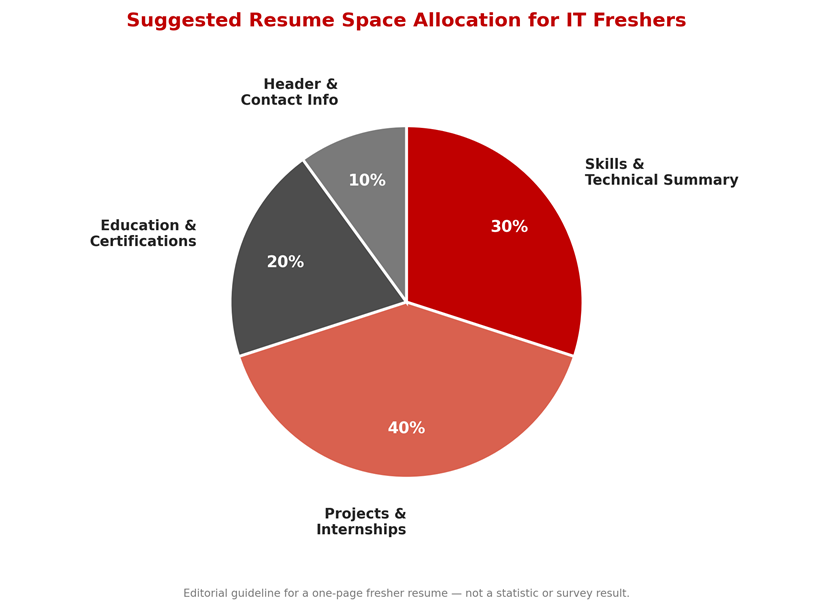
Notice that projects and internships take up the largest share. For a fresher with little or no full-time work experience, this section is doing most of the persuading — it's where you prove you can actually build things, not just study theory.
Common Myths About Fresher Resumes
• “A longer resume shows more effort.” In reality, recruiters spend less time per page as length increases, and a padded two-page resume often performs worse than a focused one-page version.
• “A creative, colourful template stands out.” Heavily designed templates often fail ATS parsing entirely, meaning the resume may never be seen by a human at all.
• “Listing every tool I've touched improves my chances.” An unfiltered skills list without context can look unfocused; recruiters prefer a shorter list backed by real project evidence.
• “The objective statement is still expected.” Most recruiters now expect a professional summary instead, since it says more about your fit for the specific role.
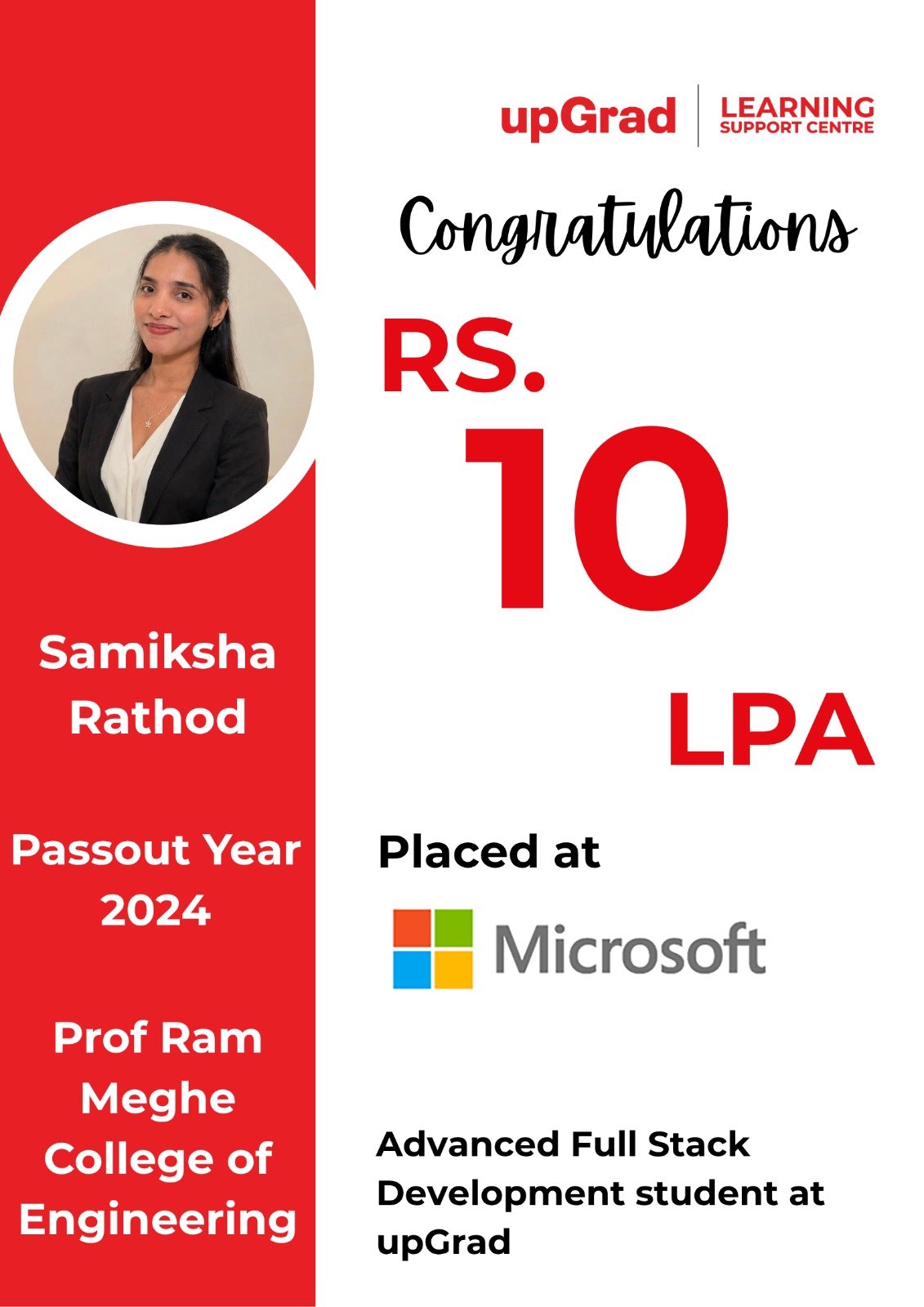
Turning Skills Into a Resume-Ready Profile
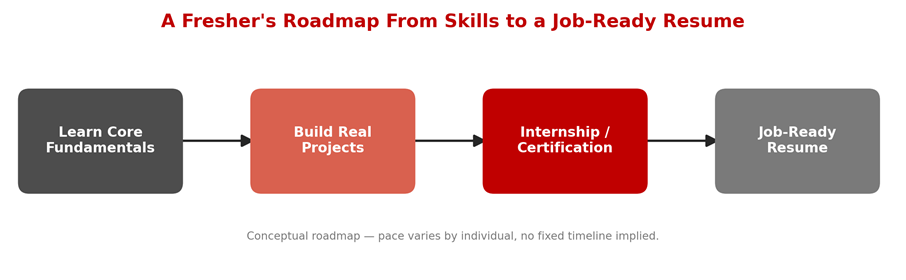
A strong resume is the output of a process, not a one-time writing exercise. The roadmap below shows how the pieces — fundamentals, projects, and practical experience — typically come together before a resume is genuinely job-ready.
Quick Self-Check Before You Apply
Use this table as a fast reference the night before you submit an application — it summarises every mistake above alongside the recommended fix.
|
# |
Common Mistake |
Recommended Fix |
|
1 |
Generic resume for every job |
Customise keywords and summary per role |
|
2 |
Inconsistent formatting |
One font, clear headings, consistent spacing |
|
3 |
Not ATS-friendly |
Simple single-column layout, standard headings |
|
4 |
Outdated objective statement |
2–3 line professional summary |
|
5 |
Responsibilities, not achievements |
Use action verbs and measurable outcomes |
|
6 |
Projects buried or under-explained |
Dedicated, detailed “Projects” section |
|
7 |
Spelling/grammar errors |
Proofread and get a second review |
|
8 |
Unprofessional email/contact info |
Name-based email, complete contact details |
|
9 |
Resume too long or too short |
Keep it to one page for fresher roles |
|
10 |
Not tailored to job description |
Mirror relevant keywords from the JD |
Fresher Resume Checklist: Weak vs Strong Resume
|
Resume Element |
Weak Resume |
Strong Resume |
|
Header |
Only name, no links |
Name, phone, email, city, LinkedIn, GitHub |
|
Opening section |
Generic objective |
Focused professional summary |
|
Skills |
Long unsorted list |
Grouped by category (languages, tools, etc.) |
|
Projects |
One-line mentions |
Tech stack, role, and outcome for each project |
|
Experience/Internship |
Task list |
Achievement-based bullet points |
|
Format |
Multi-column, graphics-heavy |
Simple, ATS-readable single column |
|
Length |
2–3 pages or under half a page |
One page for entry-level roles |
Final Checklist: Do This Before You Hit Submit
• Re-read the job description and confirm your top 5 skills/keywords actually appear in your resume.
• Check that your resume opens correctly as a plain, parseable document — no text trapped inside images or graphics.
• Confirm every project bullet states the tech stack, your role, and a concrete outcome.
• Read the whole resume aloud once, slowly, to catch grammar and tense inconsistencies.
• Verify your phone number, email, city, and LinkedIn/GitHub links are current and correctly typed.
• Confirm the resume fits one page without cutting anything that's actually relevant to the role.
How Structured Learning Can Help You Build a Stronger Career Foundation
Fixing resume mistakes is an important first step, but it works best when backed by real, demonstrable skills. This is where structured, job-oriented learning can make a genuine difference for freshers who want to stand out.
At upGrad Learning Support Centre, Pune, learners get access to guided project work, mentor support, and structured skill-building across in-demand IT domains such as data science, full stack development, and digital marketing. For freshers, this kind of structured guidance can help turn scattered self-study into a resume that actually reflects practical, job-ready skills, along with support for interview preparation and career readiness.
If you're rebuilding your resume from scratch, having real projects and mentor feedback behind you makes every one of the ten fixes above much easier to apply honestly.
Get Regular Job Updates
Looking for regular IT job updates, fresher opportunities, and career-related updates? Join our WhatsApp group for more job updates and opportunities.
Join our WhatsApp Group: https://chat.whatsapp.com/KA8HpgjbJ67I5yfQDquCvn
Frequently Asked Questions (FAQs)
Q: What is the biggest resume mistake IT freshers make in 2026?
The most common mistake is sending a generic, non-tailored resume that doesn't match the job description or include role-specific keywords, which causes it to get filtered out by ATS software or overlooked by recruiters.
Q: How long should a fresher's IT resume be?
One page is usually sufficient for entry-level IT roles. It should include only relevant education, skills, projects, and internships, without unnecessary detail.
Q: Do I need a different resume for each job application?
You don't need to rewrite the whole resume each time, but you should adjust the summary, skills order, and keywords to match each specific job description.
Q: What does “ATS-friendly” actually mean?
It means the resume uses a simple, single-column layout with standard section headings and no text embedded in images, tables, or graphics, so ATS software can parse it correctly.
Q: Should freshers include an objective statement?
A traditional objective statement is outdated. A short professional summary that highlights your skills and career focus is more effective and more commonly expected by recruiters.
Q: How many projects should a fresher list on their resume?
Two to four well-explained projects are usually enough. It's better to describe fewer projects in detail — tech stack, your role, and outcome — than to list many with no context.
Q: What file format should I submit my resume in?
Unless the job posting specifies otherwise, a PDF is generally safe for preserving formatting, while a .docx file is useful if a recruiter or ATS needs to edit or parse it directly.
Q: Where can I get help improving my resume as a fresher?
You can ask college placement cells, mentors, or career counsellors for feedback, and structured learning programs such as those at upGrad Learning Support Centre, Pune, often include resume and interview preparation support as part of skill-building.
Conclusion
A strong resume won't guarantee a job offer, but a weak one can quietly cost you interviews you were actually qualified for. Most of the mistakes IT freshers make in 2026 aren't about a lack of skill — they're about formatting, clarity, and not tailoring the resume to the role.
Start by fixing the basics: a clean, ATS-friendly format, a focused summary, achievement-based project descriptions, and a version tailored to each job you apply for. Combine that with consistent skill-building — through structured programs like those at upGrad Learning Support Centre, Pune, or through self-directed practice — and your resume will start doing what it's meant to do: getting you in the room for an interview.